Self-Paced Learning Module - Lexis Advance Quicklaw
Learning Modules


Introduction and Landing Page Overview
An introduction and brief overview of the content available in Lexis Advance Quicklaw to help you get started with your legal research. [3:01]
-
Introduction and Landing Page Overview
An introduction and brief overview of the content available in Lexis Advance Quicklaw to help you get started with your legal research. [3:01]
Video -

First Time Sign-In and Settings
Login for the first time and set your preferences. [2:29]
Video

Viewing and Filtering Results
Learn how to filter your search results to reduce the number of documents returned after you conduct the search. [3:31]
-
Viewing and Filtering Results
Learn how to filter your search results to reduce the number of documents returned after you conduct the search. [3:31]
Video -

Pre-Search Filters
How to use pre-search filters to narrow your search to specific jurisdictions, content types, and legal topics. [1:54]
Video -

Natural Language Searching
An explanation of how Natural Language searching helps you easily get great results on Lexis Advance Quicklaw. [1:26]
Video -
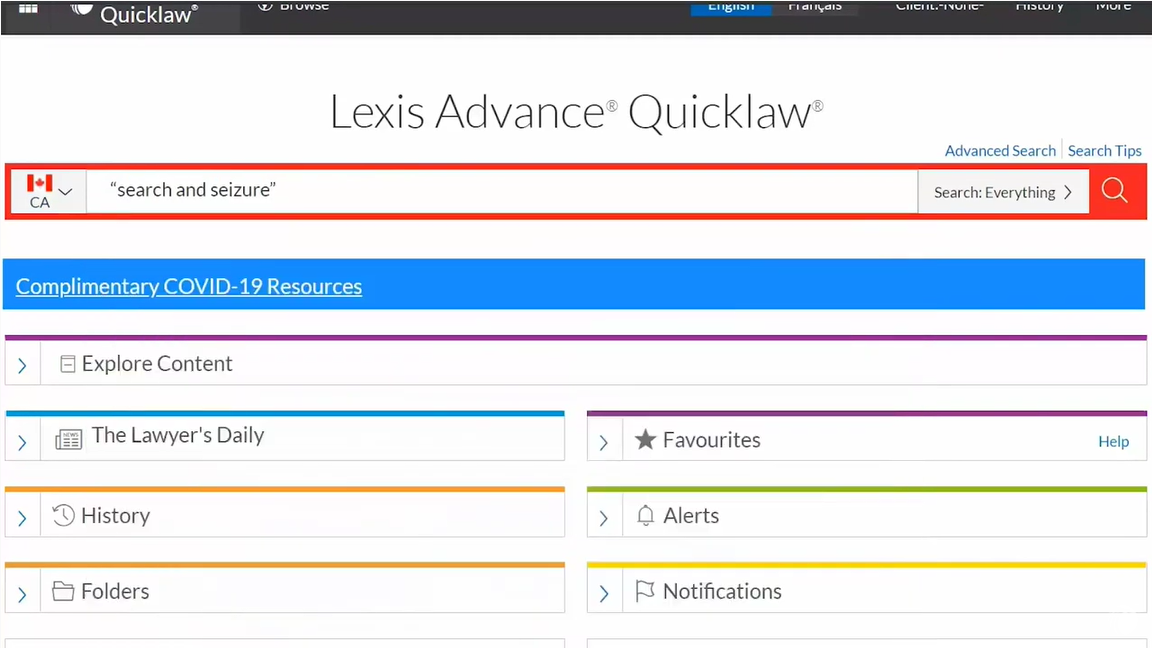
Boolean Searching [Video]
Learn how to use Boolean connectors to define the relationship between your search terms. [4:15]
Video
Additional Resources


Searching Legislative Sources
How to search for legislation in Lexis Advance Quicklaw [2:58]
-
Searching Legislative Sources
How to search for legislation in Lexis Advance Quicklaw [2:58]
Video -

Searching Case Law
How to search caselaw sources available in Lexis Advance Quicklaw [4:23]
Video
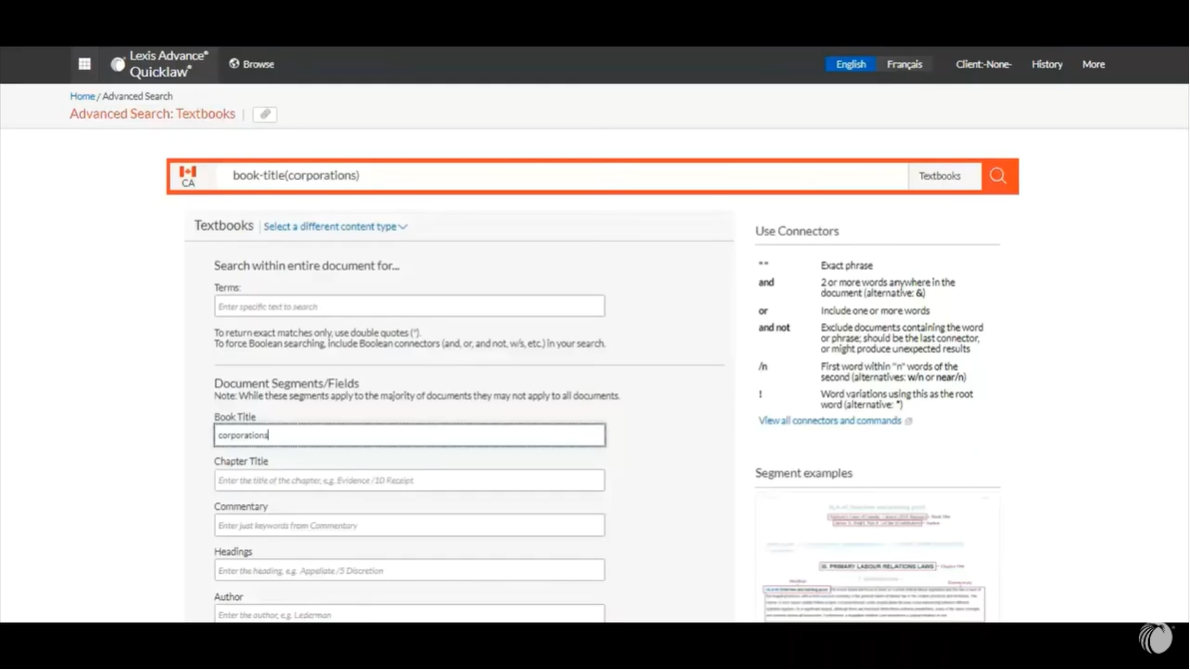
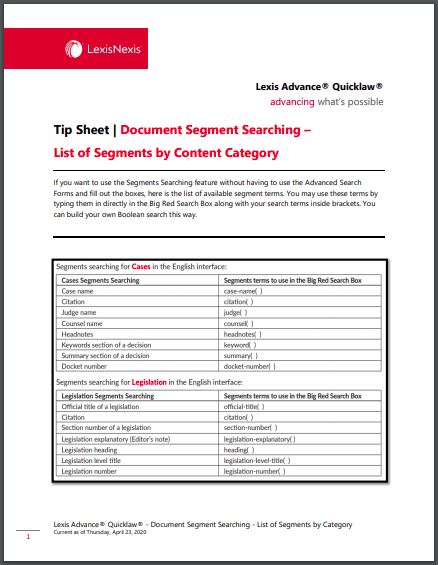
Segment Searching
Learn how you can use document segments to target your research on Lexis Advance Quicklaw. [1:31]
-
Segment Searching
Learn how you can use document segments to target your research on Lexis Advance Quicklaw. [1:31]
Video
Additional Resources
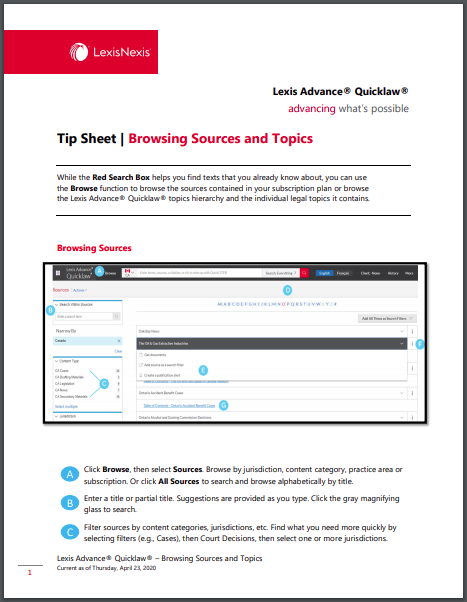

Explore Content Pod: 2020 Redesign
Learn how the Explore Content Pod can help you quickly locate the many resources available on Lexis Advance Quicklaw. [2:52]
-
Explore Content Pod: 2020 Redesign
Learn how the Explore Content Pod can help you quickly locate the many resources available on Lexis Advance Quicklaw. [2:52]
Video
Additional Resources


QuickCITE
Learn how to note up your cases and legislation to make sure your results are still valid. [4:30]
-
QuickCITE
Learn how to note up your cases and legislation to make sure your results are still valid. [4:30]
Video
Additional Resources


Copy Citation
See how you can easily copy citations from documents into other programs using the “Copy Citation” button. [1:46]
-
Copy Citation
See how you can easily copy citations from documents into other programs using the “Copy Citation” button. [1:46]
Video -
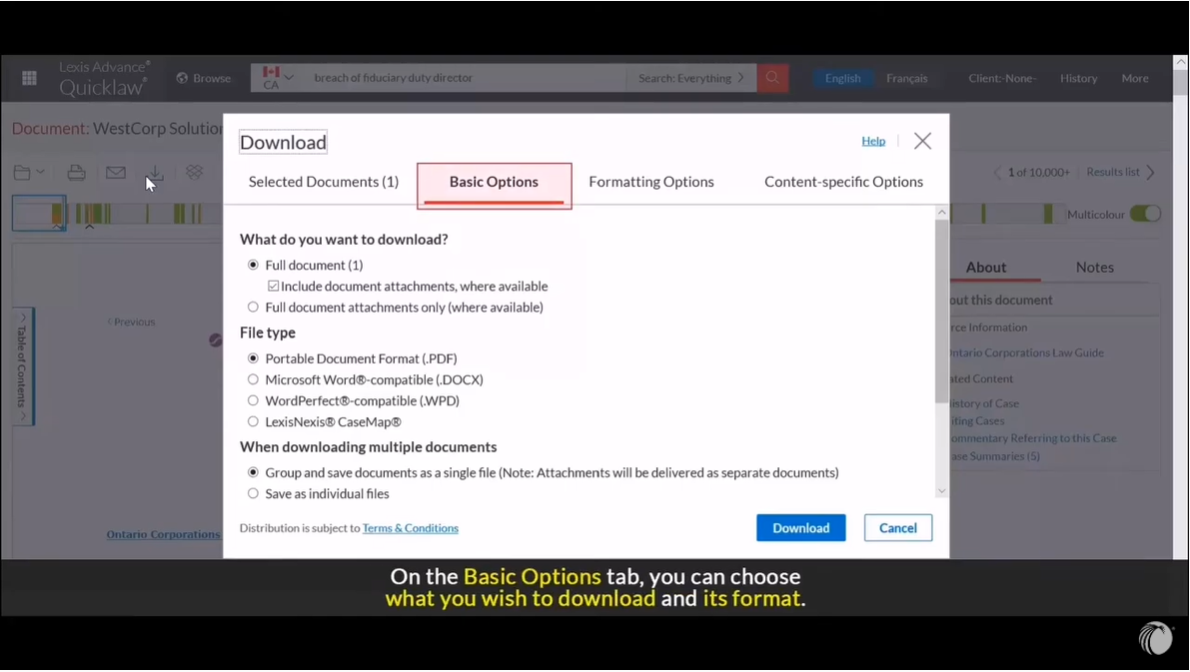
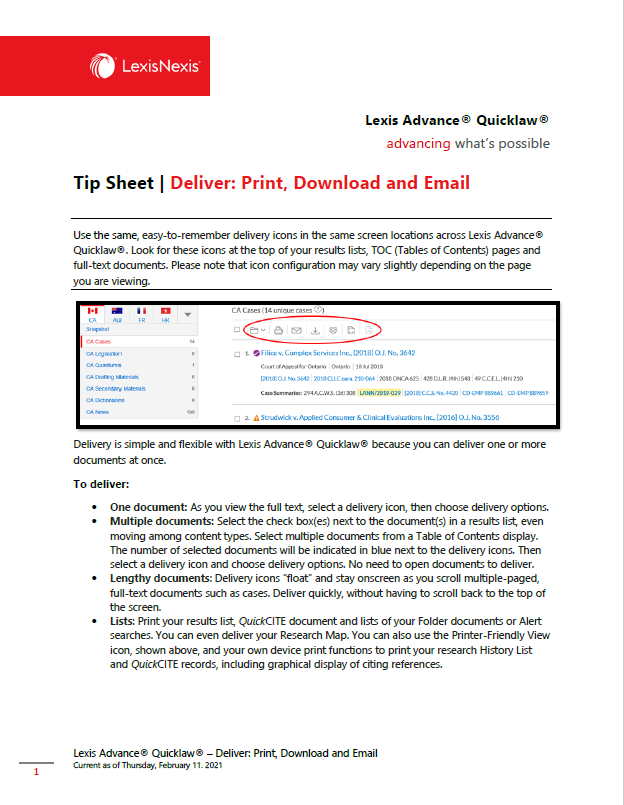
Delivering Documents
How to print, save, email, and send your documents to Dropbox on Lexis Advance Quicklaw. [1:42]
Video -
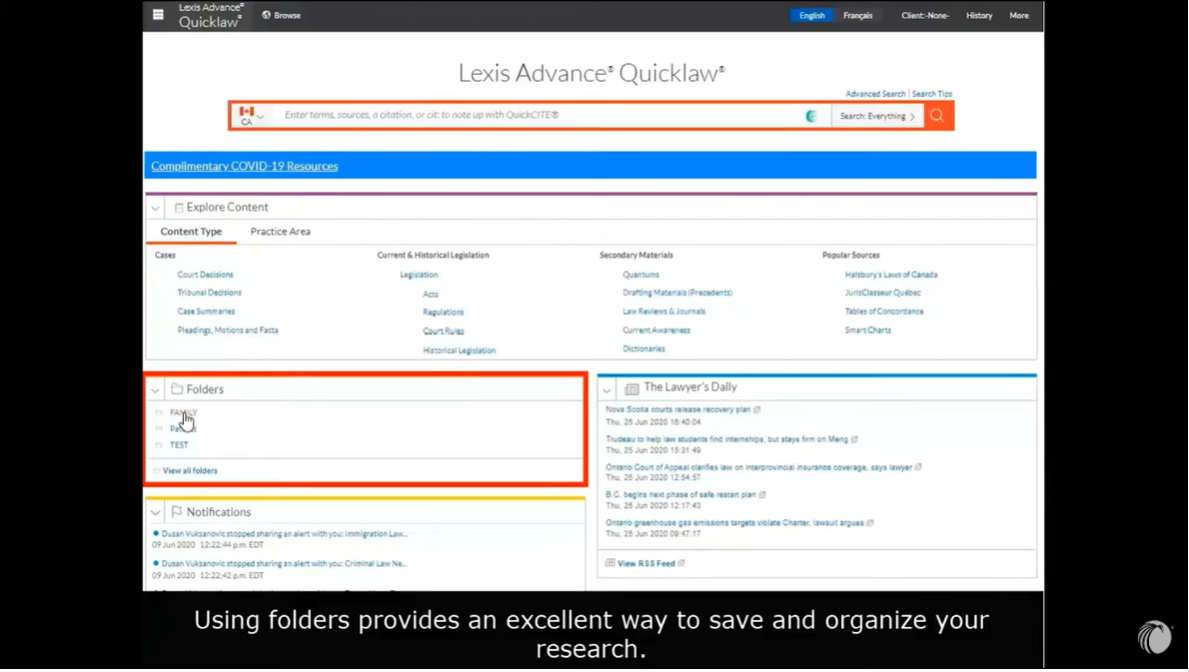
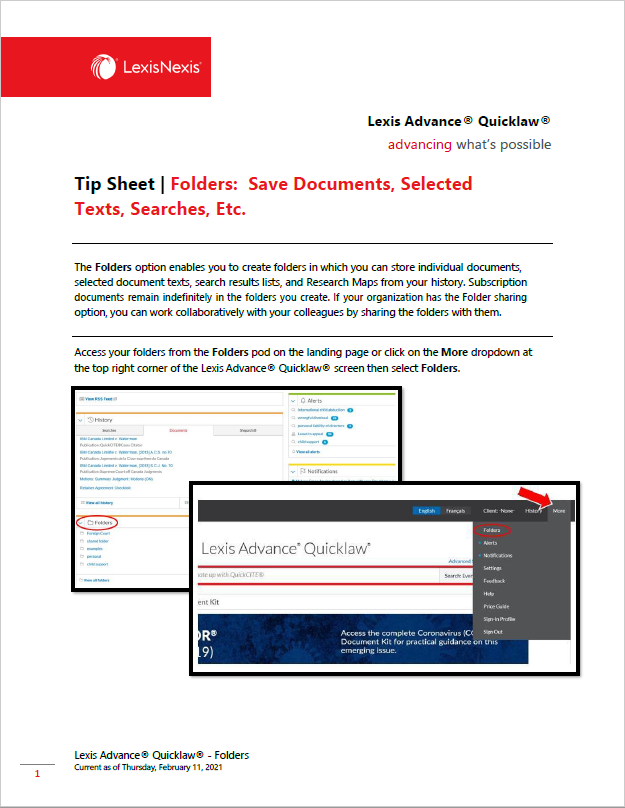
Folders
How to save documents to your folders and share them with your colleagues. [3:11]
Video -

Highlighting and Annotating
Learn how to highlight and annotate text. [1:18]
Video
Additional Resources