![item image]()
5 Feb 2026
Author : Jocelyn Sagherian
$core_v2_ui.GetViewHtml($post.File.FileUrl, "%{ AdjustToContainer = 'true' }")
Best Practices for Creating a Docket Alert for a Keyword Search
Sometimes, you want to set up an alert in Courtlink for a specific word or phrase. However, alerts in dockets cannot be created based solely on a keyword search. But there is a workaround!
If you run a keyword search that you’d like to save as an alert, you can add “Litigation Area” criteria to the search, even if that means selecting all available options.
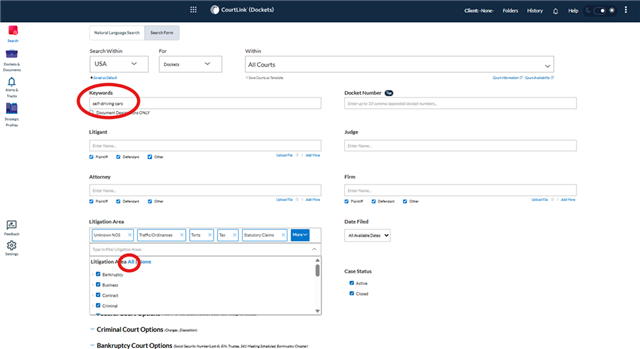
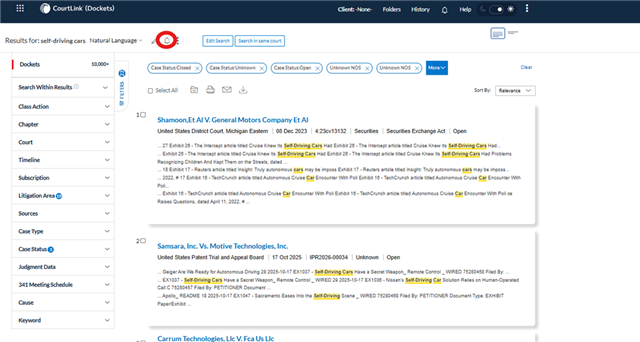
By including this additional information, you’ll then be able to create an alert that captures keywords from your search results or directly from the CourtLink home page.
We are here to help you navigate legal research, so if you have any questions, contact your Knowledge & Research Consultant, your account team, or your law school Lexis representative!