![item image]()
15 Jan 2026
Author : Bridget MacMillan
$core_v2_ui.GetViewHtml($post.File.FileUrl, "%{ AdjustToContainer = 'true' }")
Litigation Analytics Party Footprint
It is now much easier to get a robust picture of a company’s or an individual’s litigation footprint, and the analysis that accompanies that footprint.
Previously, when searching on a party name, if there were multiple versions of that name, you would have to open each footprint separately to get the whole picture.
For example, if I was interested in Starbucks, searching for the party name Starbucks brings back results that show name variations:
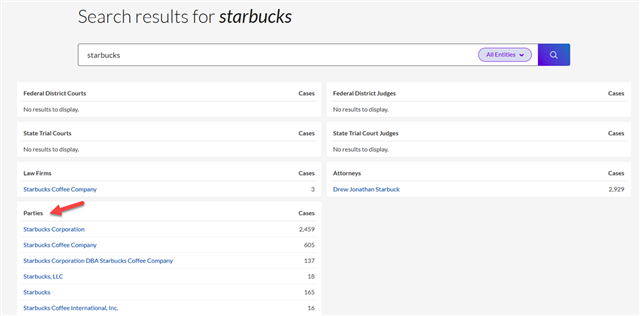
And while the first one is the largest grouping, I would also look at the footprints for the additional ones below it, because they are not included in that first result. Why? The name variation creates these multiple, unique entries.
Now you can use the Litigation Party Footprint option, and get a more complete picture in one footprint. Searching for Starbucks here, I have the option to select up to 100 results from the list:
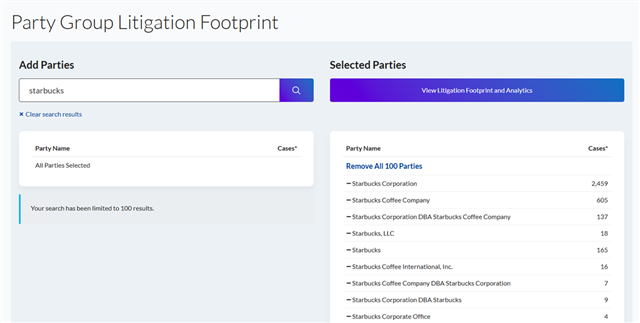
And now the footprint reflects the data from all those results, and I can edit the list and remove any that I don’t need in the analysis:
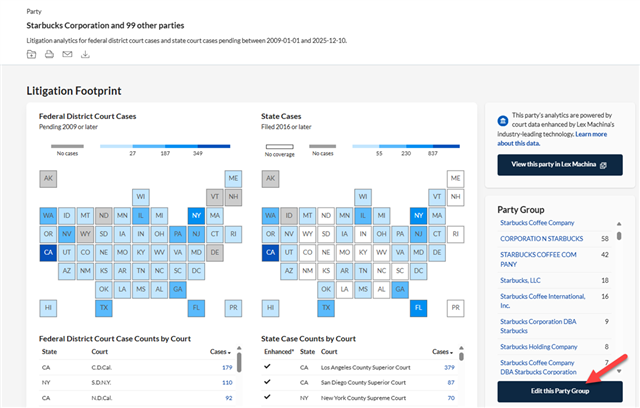
I find this to be more efficient and comprehensive!
Give it a try the next time you have a party name that usually has name variations, this will save you having to download and combine multiple footprints.
If you have any questions, please contact your account team, your Knowledge & Research Consultant, or your law school representative.