![item image]()
7 Aug 2025
Author : Bridget MacMillan
$core_v2_ui.GetViewHtml($post.File.FileUrl, "%{ AdjustToContainer = 'true' }")
Subscribe to Law360 Newsletters via the Legal News Hub
You can use the Legal News Hub on Lexis+ to subscribe to Law360 Newsletters easily!
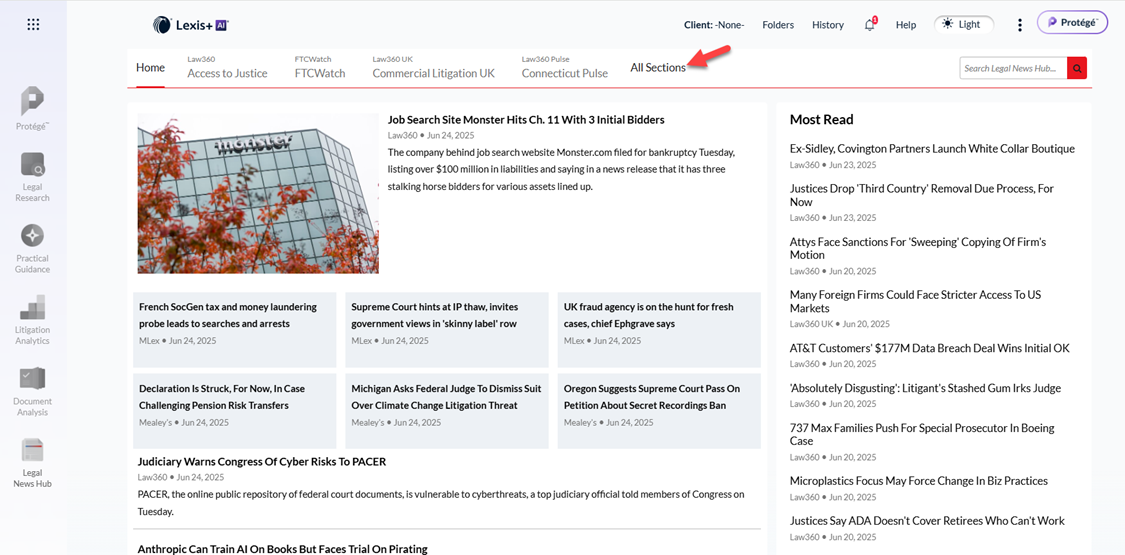
Access the Legal News Hub via the experience bar, and click on the tab “All Sections”:
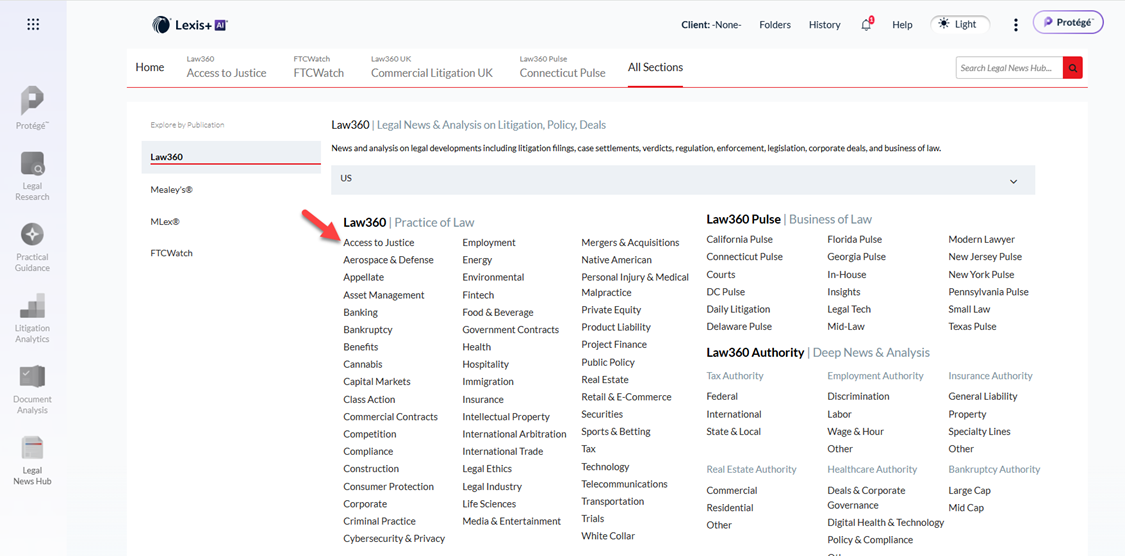
From the list of newsletters, select the one you are interested in subscribing to:
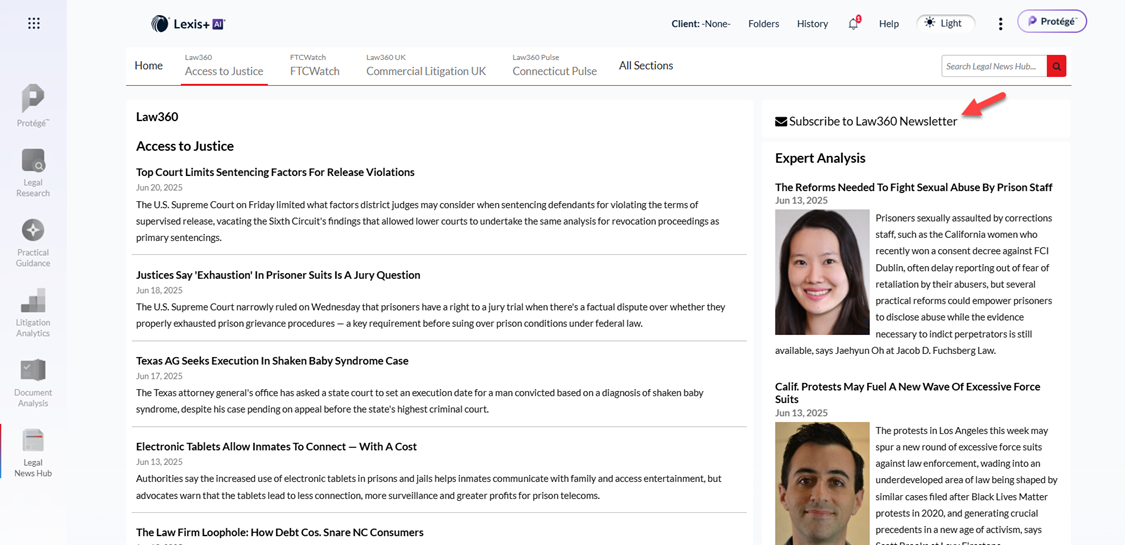
Once that newsletter opens, you’ll see the “Subscribe to Law360 Newsletter” button in the upper right corner. Click on that:
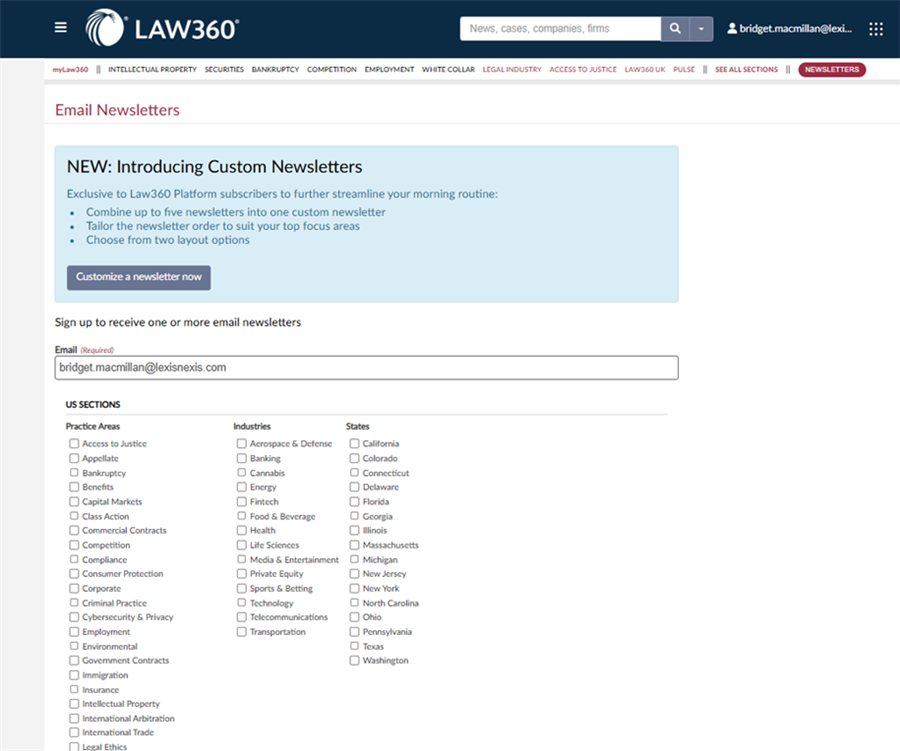
And now you’ll see a list of all the newsletters, and you can select what you want to receive:
If you have additional questions, please reach out to your Account Team, law school rep, or KRC!